

Operations automated.
Make sure the work gets done.
Everything your team must do. Done, and you can see it.
To-Do and alerts keep everyone on track. Add only the modules your business needs.
Free trial. No card. Cancel any time.







Find your industry
Ready-made setups for these industries. Any other business picks its own modules.
Real Estate
Move-in, routine & move-out inspections
See Real EstateConstruction
Site visibility, snags & penalty defence
See ConstructionMaintenance & field service
Deskless teams, assets & proof of work
See Maintenance & field serviceSomething else?
Pick your modules
Everything flows through To-Do
Your work, in your own list.
Each person gets a To-Do made for them: their alerts and their own to-dos. With the Inspections, Time & Attendance and Leave modules, their inspections, clock duty and approvals join it. It fills itself. With Inspections, a step can carry a form or workflow. Press Start and the person fills it in, step by step. You see it all get done.
- Jobs with steps
- Reminders
- To-dos that repeat


Alerts
The right person hears about it.
A wrong answer on an inspection (with Inspections), a reading over a line (with Asset Register), a date coming up, or a QR scan raises an alert. It goes to the people you name, or by role, such as “the person’s manager”. If nobody acts, it climbs until someone does. It lands in their To-Do.


Workflows, with Inspections
Your standards, done the same way every time.
The way each kind of job must be done, written down once. Every time the job comes round, people follow the same steps, so the work is repeatable, always consistent, tracked and complete. Start from a ready-made workflow or your own. Workflows come with Inspections.


Built around your company
Set it up the way your company runs.
Build your own structure: teams, departments and who reports to whom. Everyone sees what is theirs, and the right person approves.
Someone leaves
Replace them from one place: the new person takes their spot in the team and their open work. If nobody replaces them yet, their work waits on one list, ready to hand on in one step.
Someone goes on leave
With Leave, you choose who covers their work while they're away: their inspections and the alerts on them, and the to-dos others gave them. Hand it to a colleague, share it across the team, or pause it. Their approvals go to your admins. It all comes back to them when they return.


Modules
The modules, in four groups
Inspect and audit
Inspections
Every inspection done, on time, with proof.
- QR quick capture
- Comparisons
Site Audits
Know every site was audited, and what was found.
See Site Audits
Assets
Asset Register
Know every asset, and what it needs next.
See Asset Register
People and time
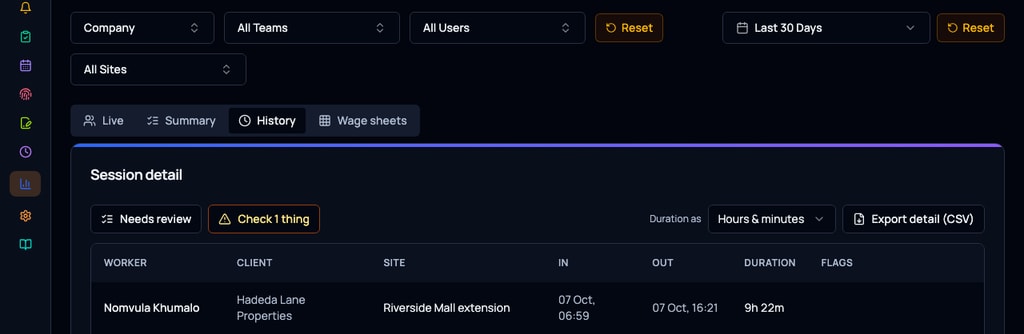
Time & Attendance
Know who is on site, and for how long.
See Time & Attendance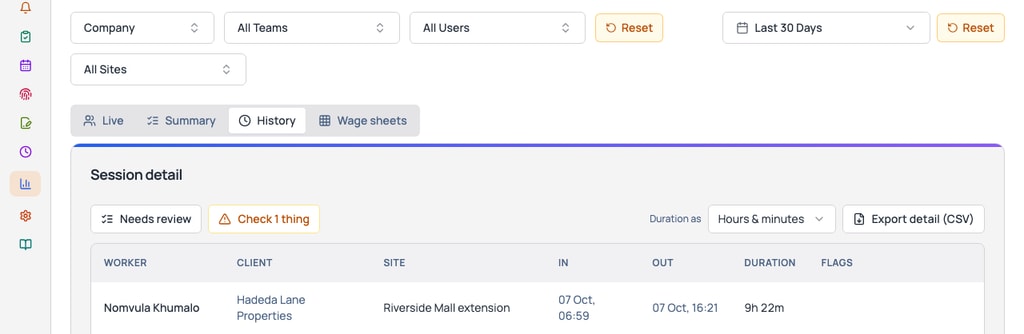
Leave
Leave approved by the right person, and the work still gets done.
See Leave


Documents and checks
Document Signing
Signed on a phone, wherever your client is.
See Document SigningIdentity & FICA
FICA files that hold up when the FIC asks.
See Identity & FICA
Start small, add as you grow
Start with To-Do and Alerts. They come with every plan.
Switch on a module the day you need it.
With Inspections, Time & Attendance or Leave, their work shows up in the same To-Do.
Ready-made for your industry
Pick your industry at sign-up. The modules it needs switch on with it.

Real Estate
Switches on
- Inspections
- Asset Register
- Document Signing
- Identity & FICA
Starts with its checklists, alerts and QR codes ready to use.
A Monday morning
An agent’s Monday. Two move-out inspections, an alert from a tenant who scanned the lobby QR about a broken gate, and a to-do to collect keys.
See Real Estate
Construction
Switches on
- Inspections
- Asset Register
- Site Audits
- Time & Attendance
- Leave Management
Build your own checklists, alerts and QR codes, set up the way you work.
A Monday morning
The foreman’s morning. Crew clock duty, the daily prestart, and a defect alert from yesterday’s plant check.
See Construction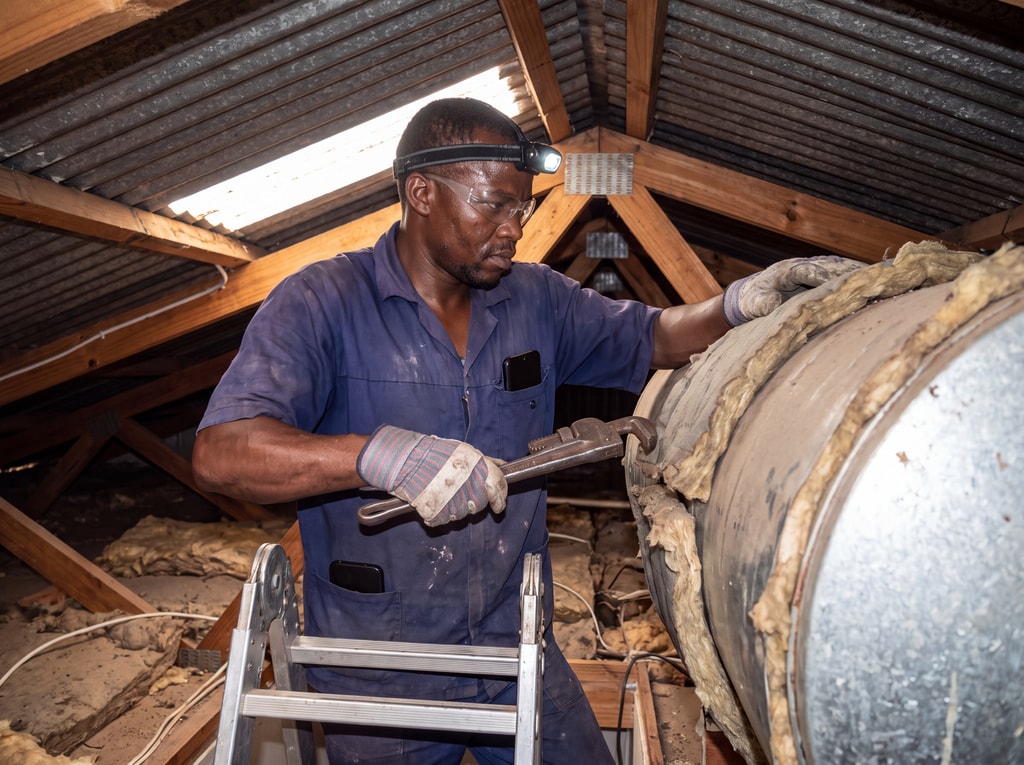
Maintenance & field service
Switches on
- Inspections
- Asset Register
- Time & Attendance
- Leave Management
Build your own checklists, alerts and QR codes, set up the way you work.
A Monday morning
A technician’s day. Three jobs, a van service due, and a to-do with steps to order a part and wait on the supplier.
See Maintenance & field service


Proof
How Tirepoint runs on PremHQ

“PremHQ has made a significant difference in how we manage our workforce. Their time and attendance system has streamlined our daily operations, improved accountability, and given us better visibility of where our teams are working and when they are on-site. By accurately tracking working hours and attendance, we can manage wages more efficiently, reduce administrative time. The app is incredibly user-friendly, easy to navigate, and simple for our teams to use, making the transition to a digital system seamless.”
Greg Martin, Managing Director
GM Roofing
“We at Crosstate Auctioneers have been making use of PremHQ to carry out inspections on vehicles coming in and going out on large scale as well as managing sales teams and project tasks! We have benefited hugely out of the system as it has allowed us to further scale our operations timeously as well as save costs and time! Thank you PremInspect team for your continued support and back up! We look forward to making use of the other services offered by the system!”
Mark Pearson
Crosstate Auctioneers
“We've been using PremHQ since January this year, and it has genuinely made our rental inspection process so much easier. Both the app and the online platform are incredibly user-friendly, making inspections quick and hassle-free. What we appreciate most is the outstanding support – the owner is always approachable, takes feedback on board, and any issues or bugs are resolved in record time. It's clear that customer feedback is valued. It's refreshing to work with a company that genuinely listens to its customers and is committed to continuously improving and expanding its product.”
Liezel Killan
Cape Coastal Homes
Pricing
Pay for the people and modules you switch on.
To-Do and Alerts come with every plan.
Every plan has a minimum of R 299 a month, excluding VAT, for your whole company, not per person. If your bill comes to more, you pay that instead.
Show prices in
Your work, in your pocket.
The app is where the work gets done, and To-Do is where it starts. Your team gets inspections, clocking in, leave and alerts for whatever modules are switched on.
Inspections and clocking in and out work with no signal, and are sent when signal is back. The app says plainly when something needs signal.



Make sure the work gets done.
Prefer to chat?